 VitaFlowHospital pharmacy
Features
The whole pharmacy, one lot at a time.
Seven areas, one database: what is ordered, received, stored, issued and administered stays linked to the same lot.
Supply
From needs to invoice, every purchase follows a controlled path: whoever drafts is not whoever approves.
- Purchase ordersPrepared from replenishment proposals, approved by someone other than their author, e-mailed to the supplier; an approved order is changed by amendment.
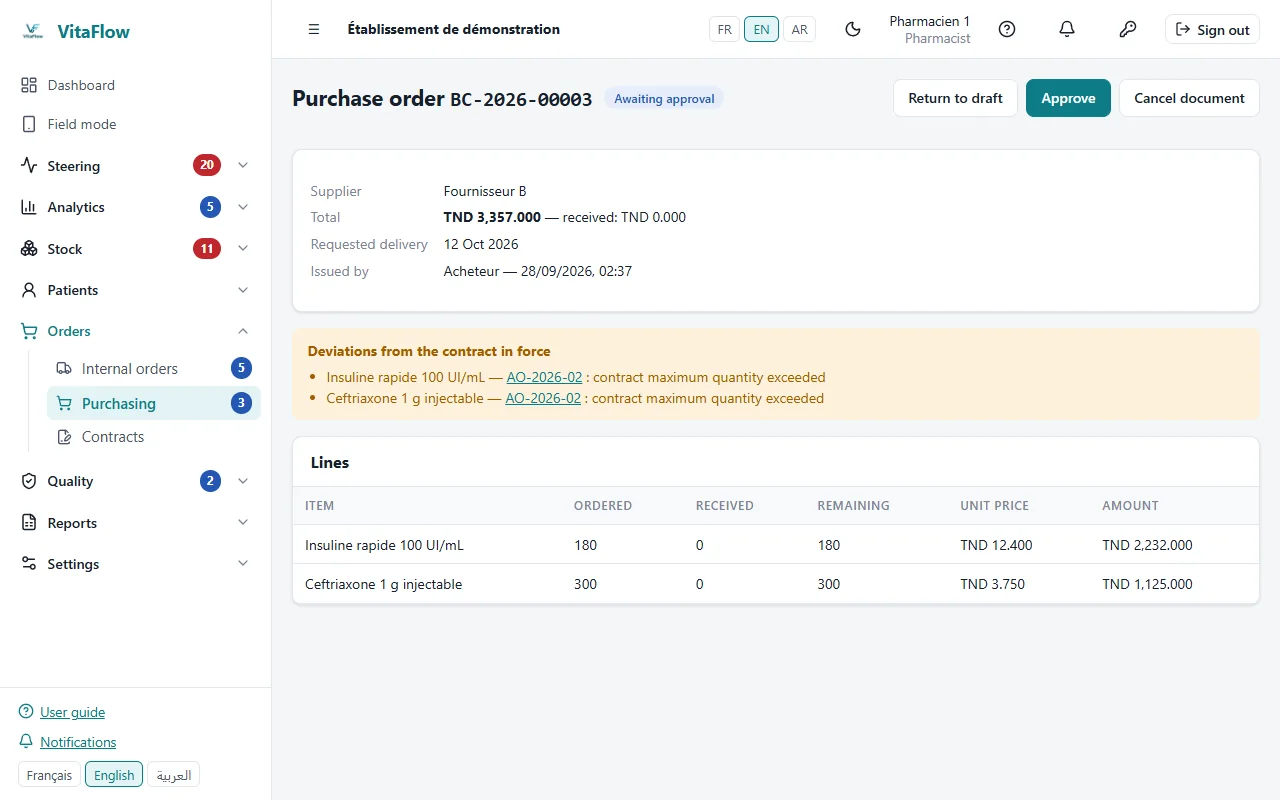
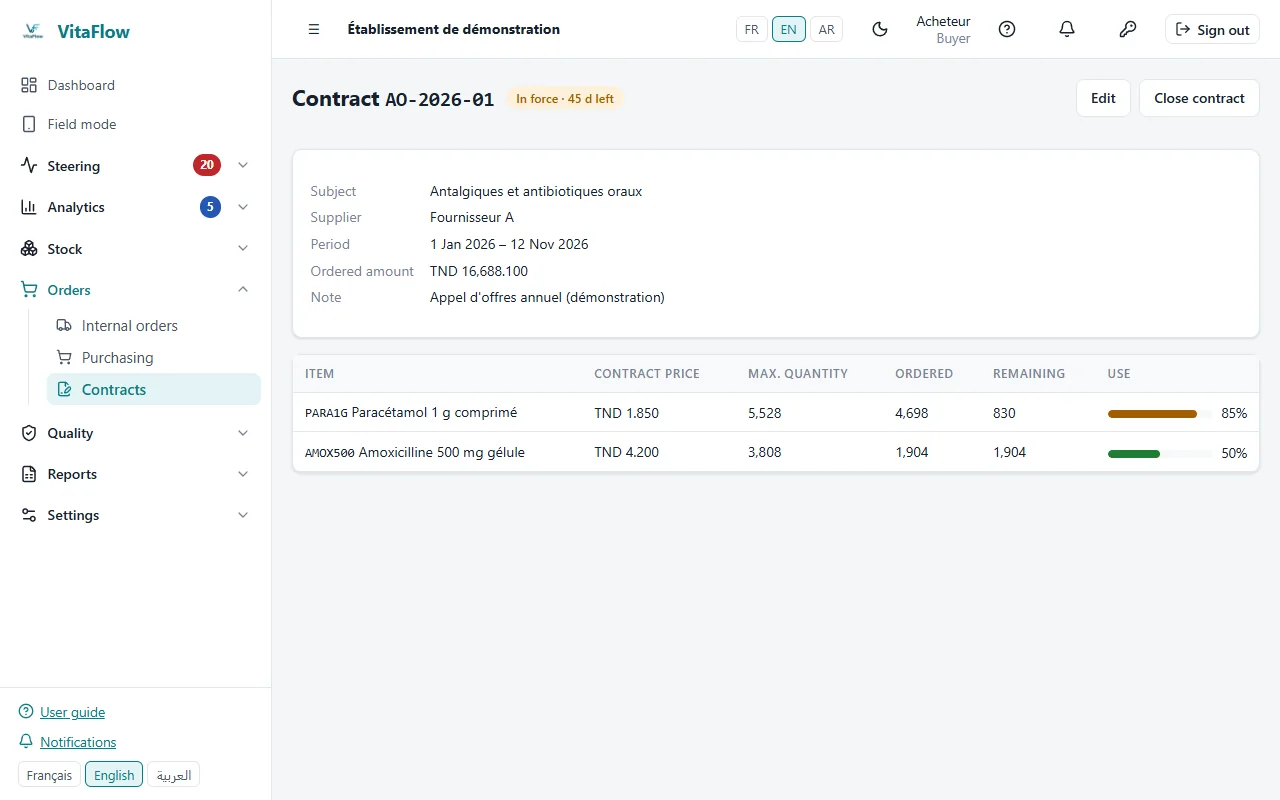
Purchase order awaiting approval - ContractsContract prices per supplier; every order is checked against the contract in force.
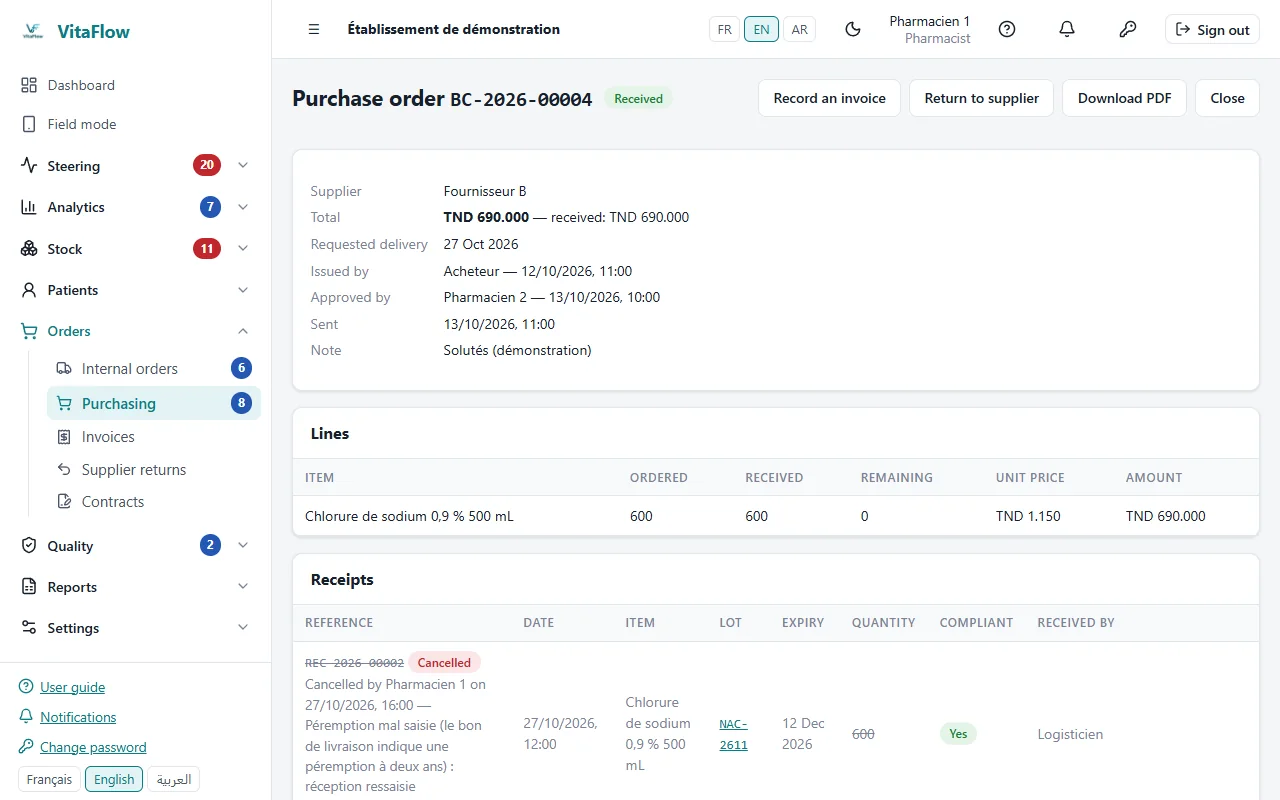
Supplier contract and price check - ReceiptsLot and expiry typed or read from the GS1 code; a wrong receipt can be cancelled, and the cancellation is traced.
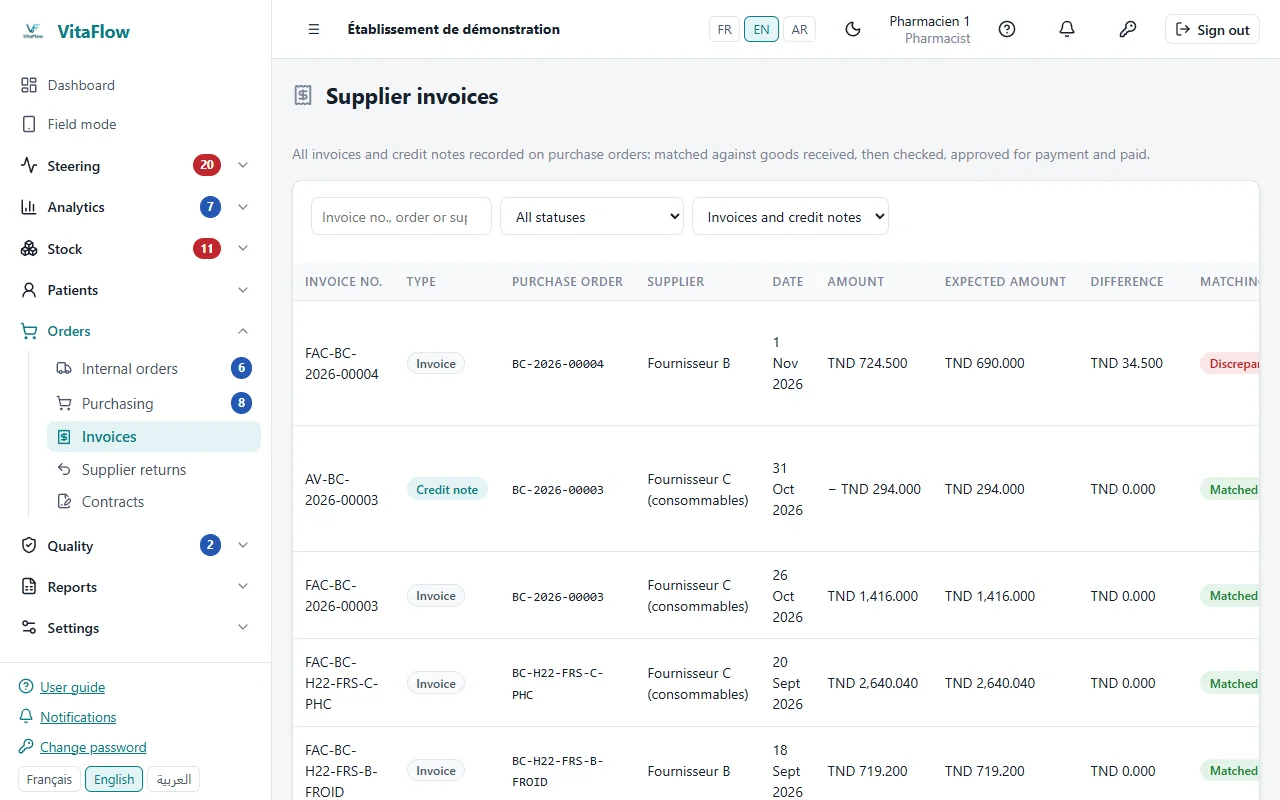
Cancelled receipt, traced on the order - InvoicesMatched with order and receipt (matching or variance), then validated, disputed or paid.
Matched invoices and their workflow - Returns and credit notesLots returned to the supplier with a PDF return note; the credit note received is linked to the return and checked against its value.
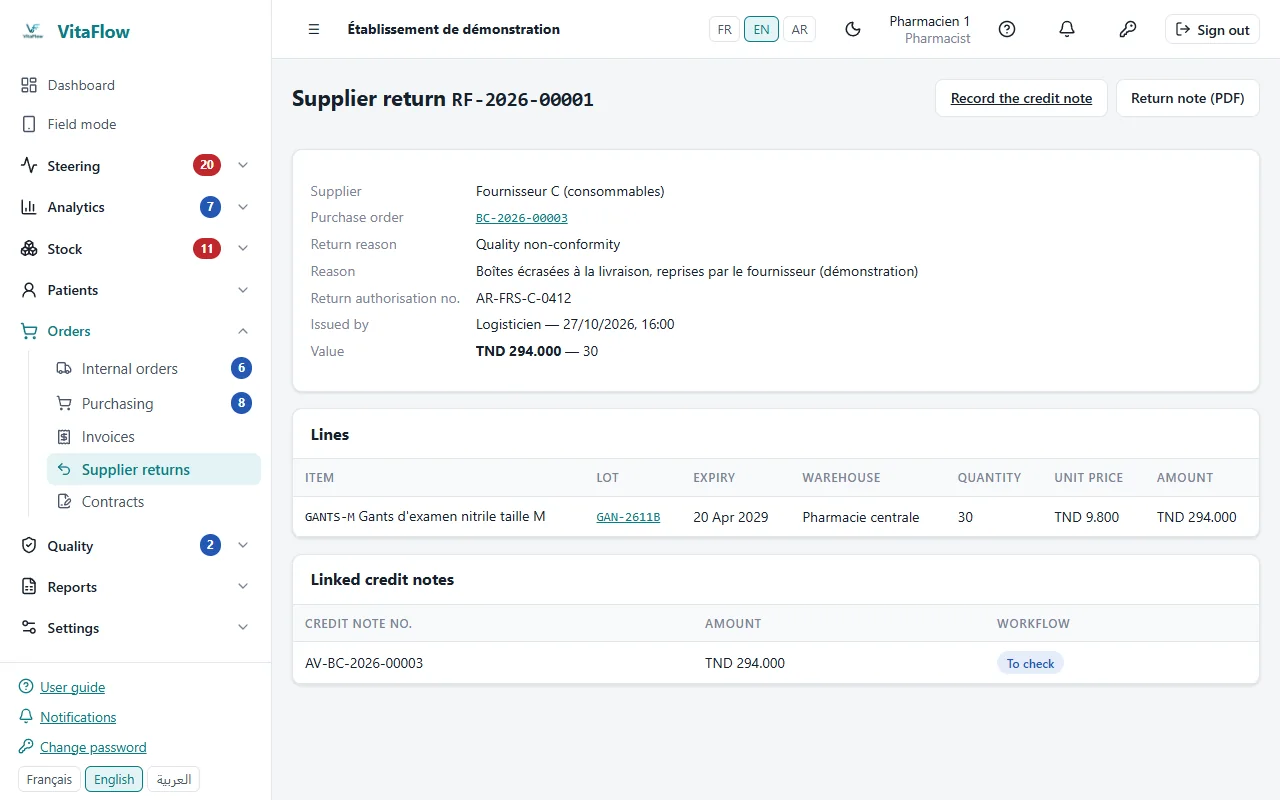
Supplier return and linked credit note - SuppliersLead times measured on actual receipts; cancelled receipts and invoices excluded from indicators.
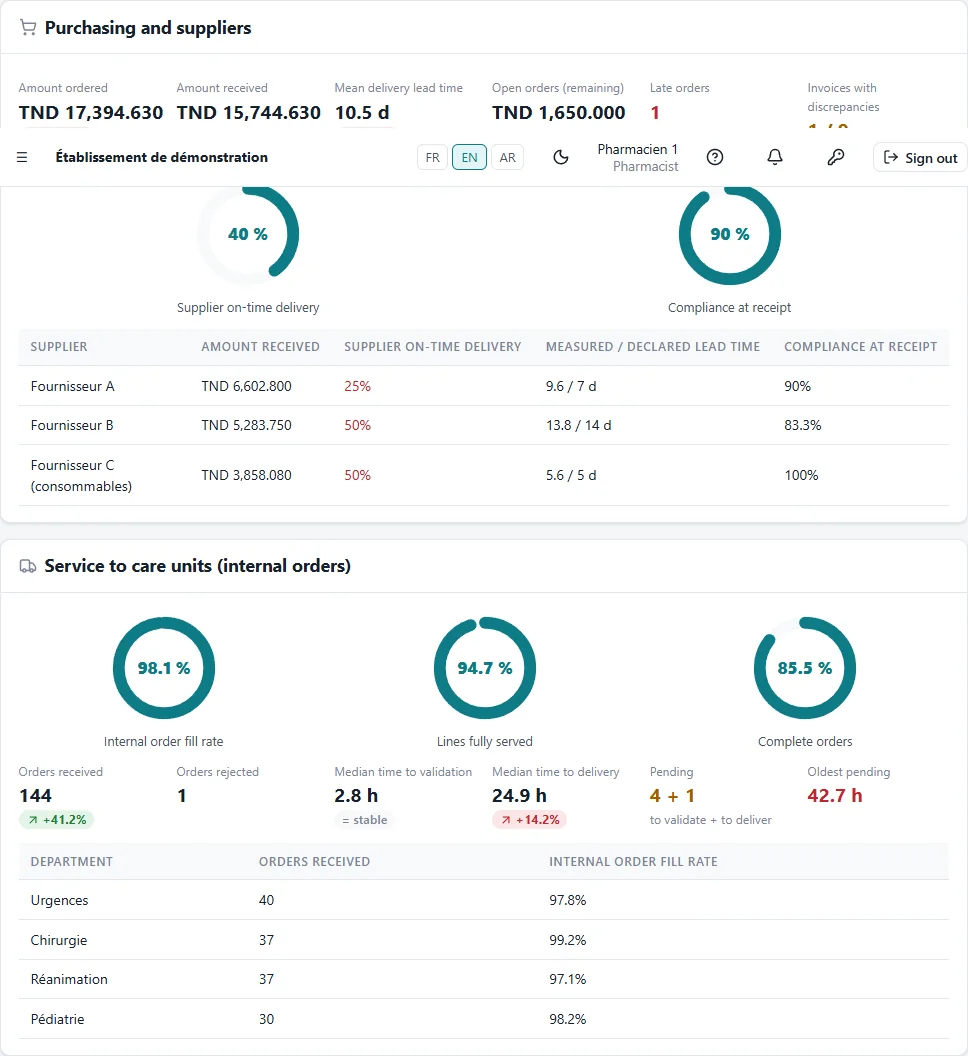
Purchasing indicators and supplier lead times
Stock
Stock is never typed in: it is computed from movements, by lot and warehouse.
- Stock by lotQuantities by lot, warehouse and expiry, recomputed on every movement.
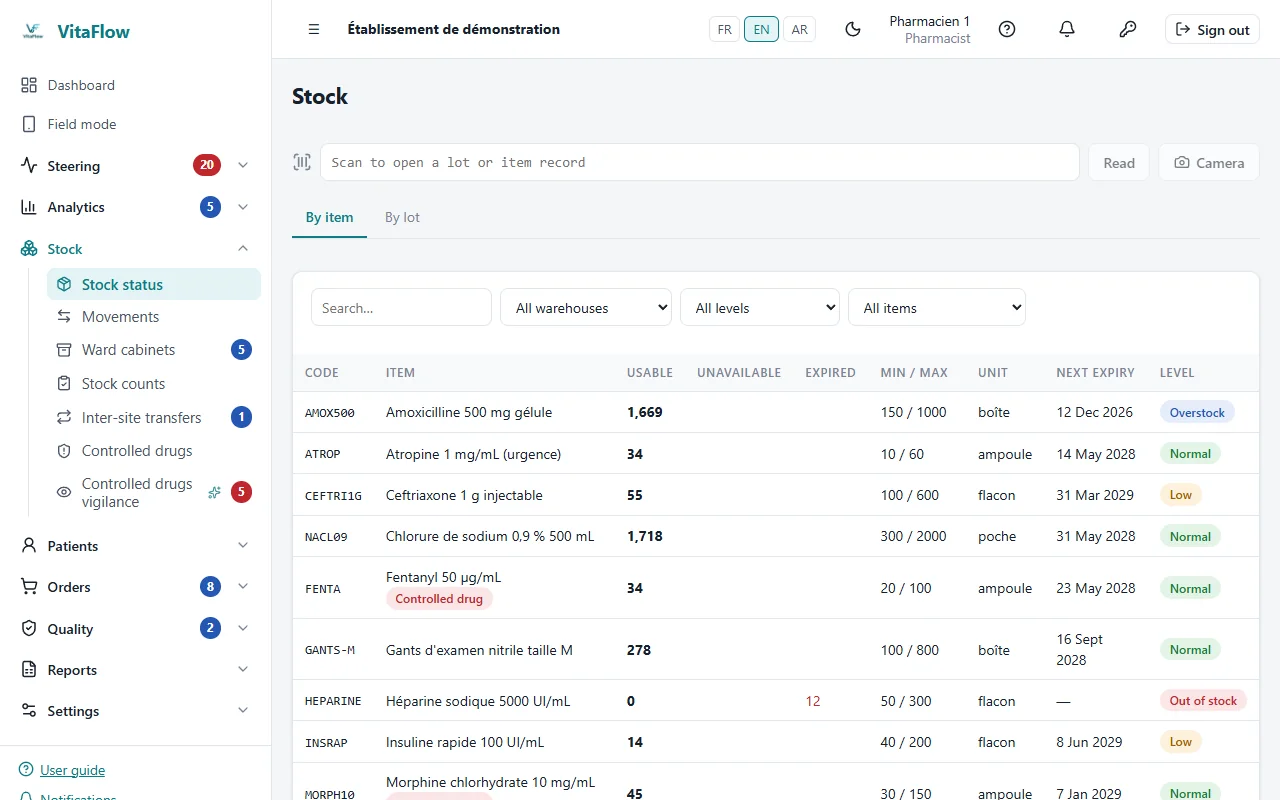
Stock by lot and warehouse - First-expiry first-outIssues propose the lot that expires first; expired, quarantined, blocked or recalled lots cannot be issued.
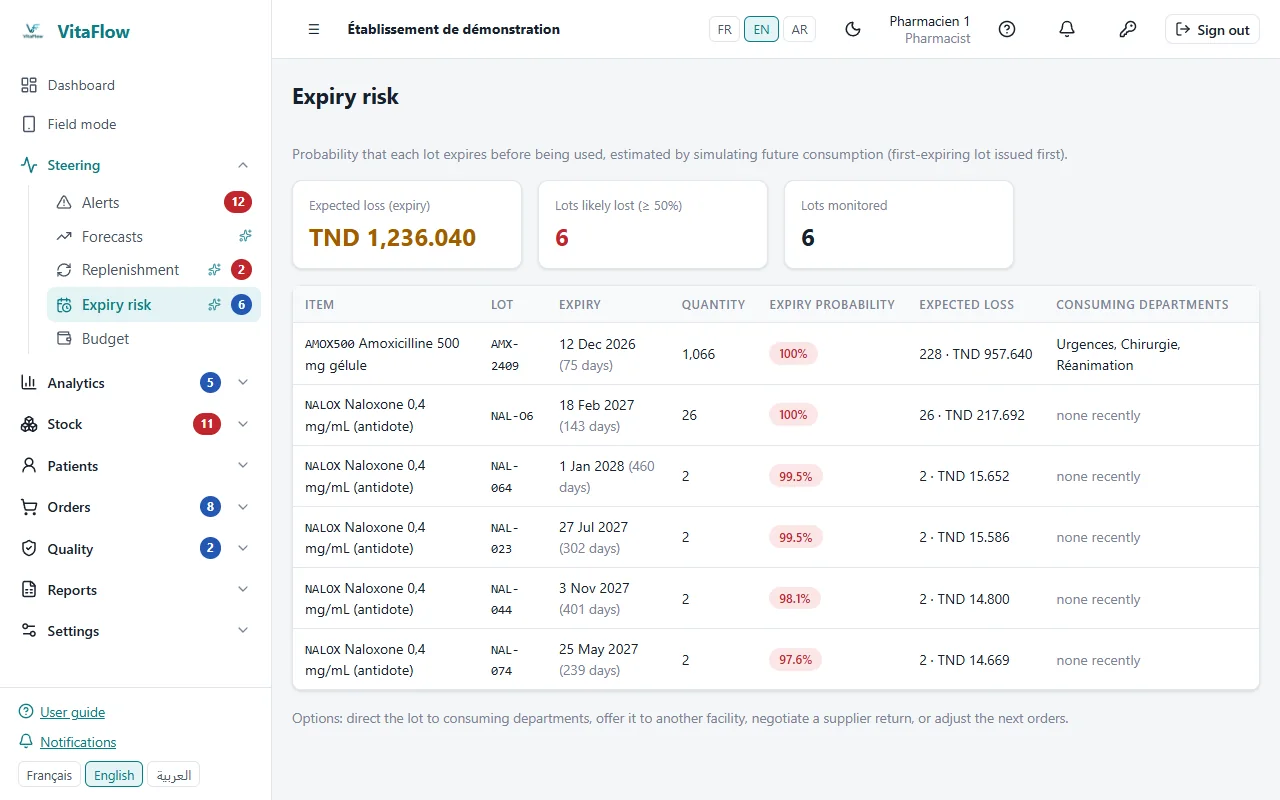
Lots ranked by expiry and risk - CountsCounting, recount of variances, adjustments with a coded cause.
- Lot correctionA mistyped lot number or expiry is corrected without rewriting history.
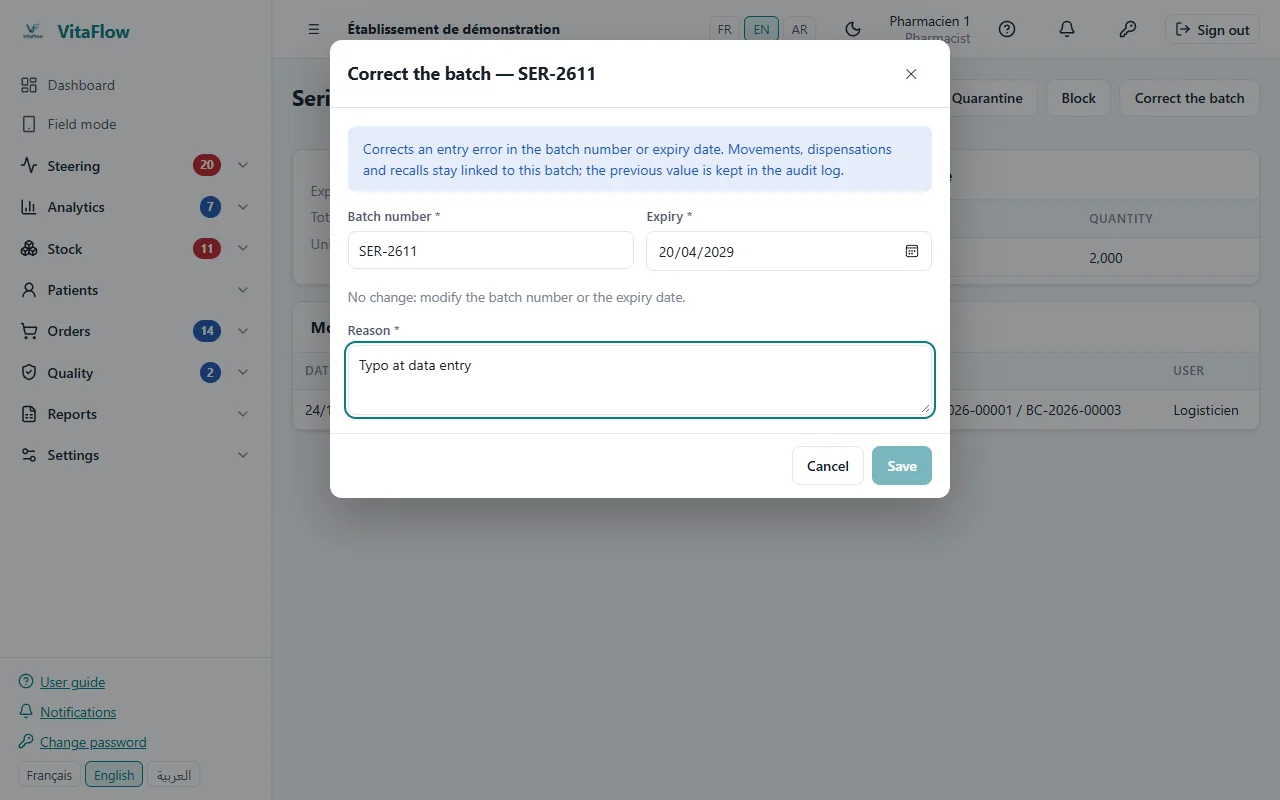
Correcting a lot number - DestructionBatch destruction of expired lots, written to the audit log.
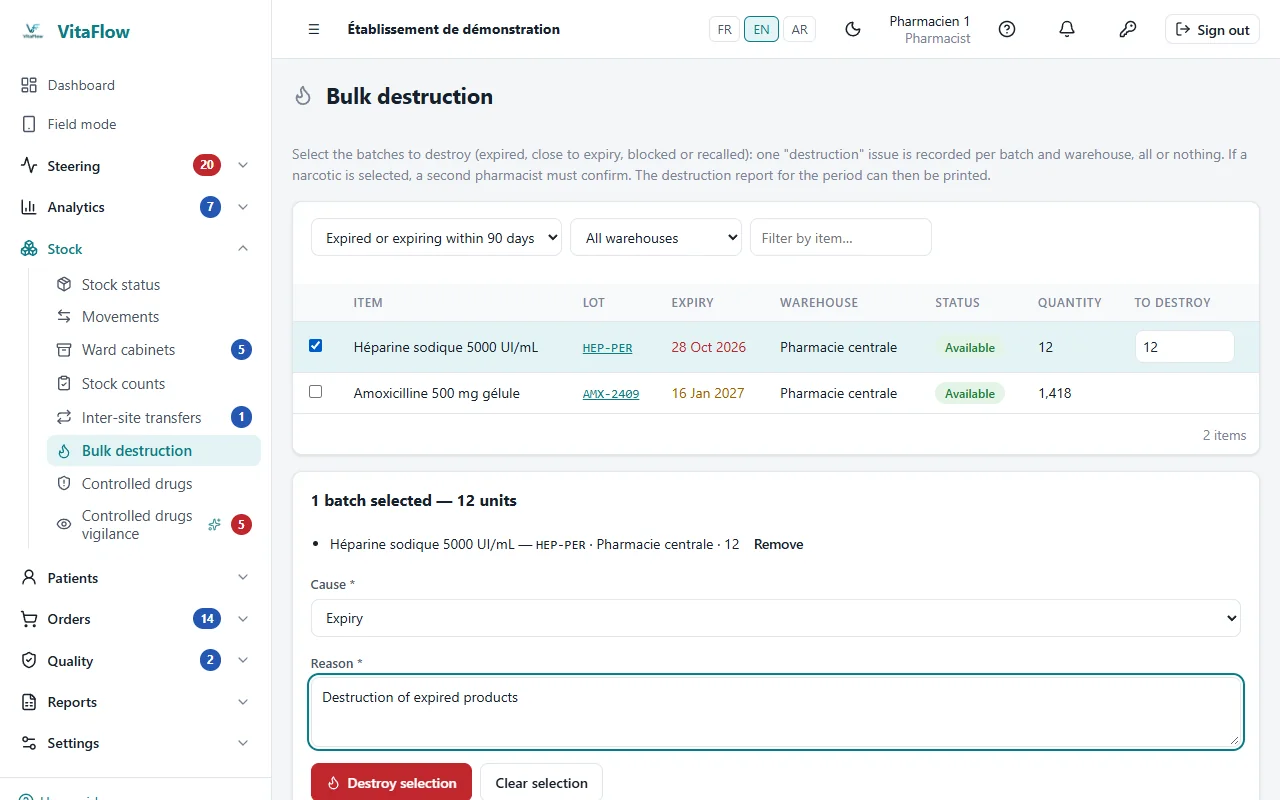
Batch destruction of expired lots
Distribute
From wards to pharmacy and back: every issue is linked to a ward, a cabinet or a patient.
- Ward ordersEntered by wards, validated by the pharmacist, served lot by lot.
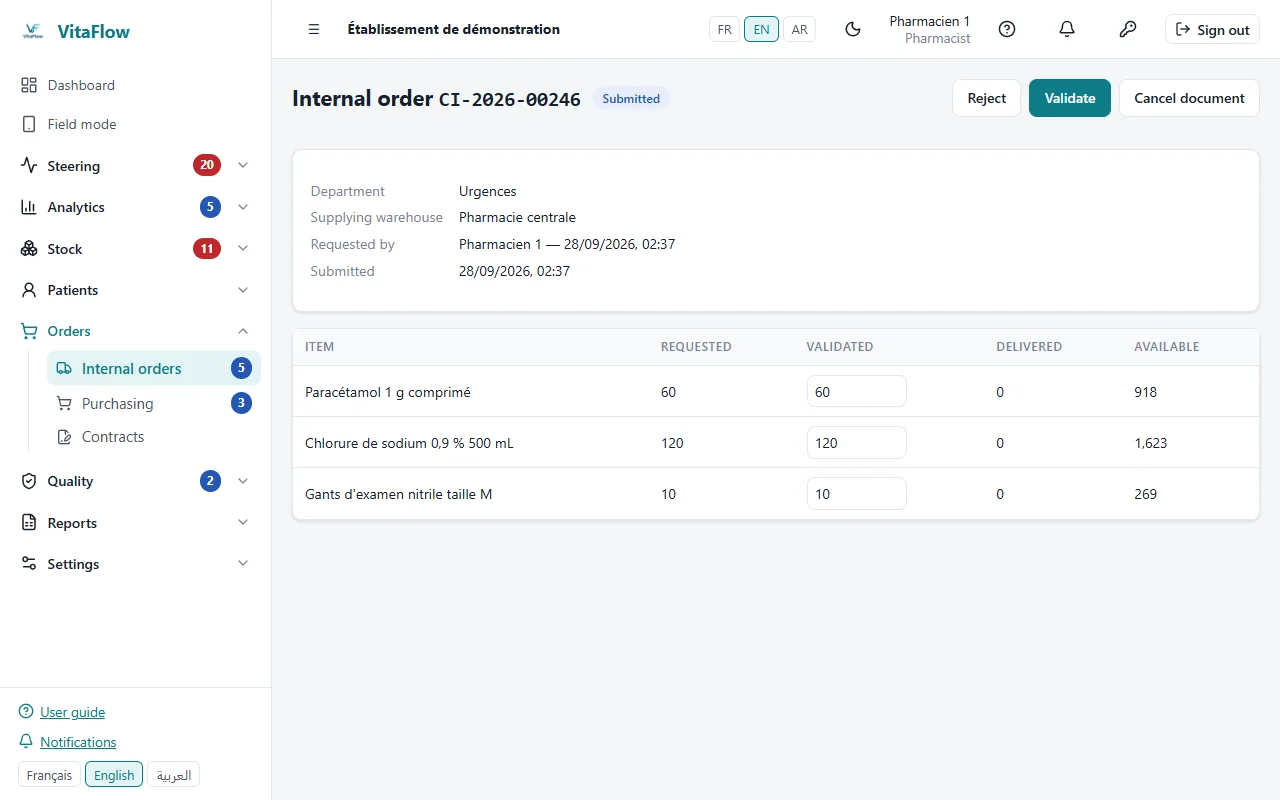
A ward's internal order - Back-ordersWhen stock falls short, what is available is delivered and the rest becomes a back-order, deliverable as soon as stock allows.
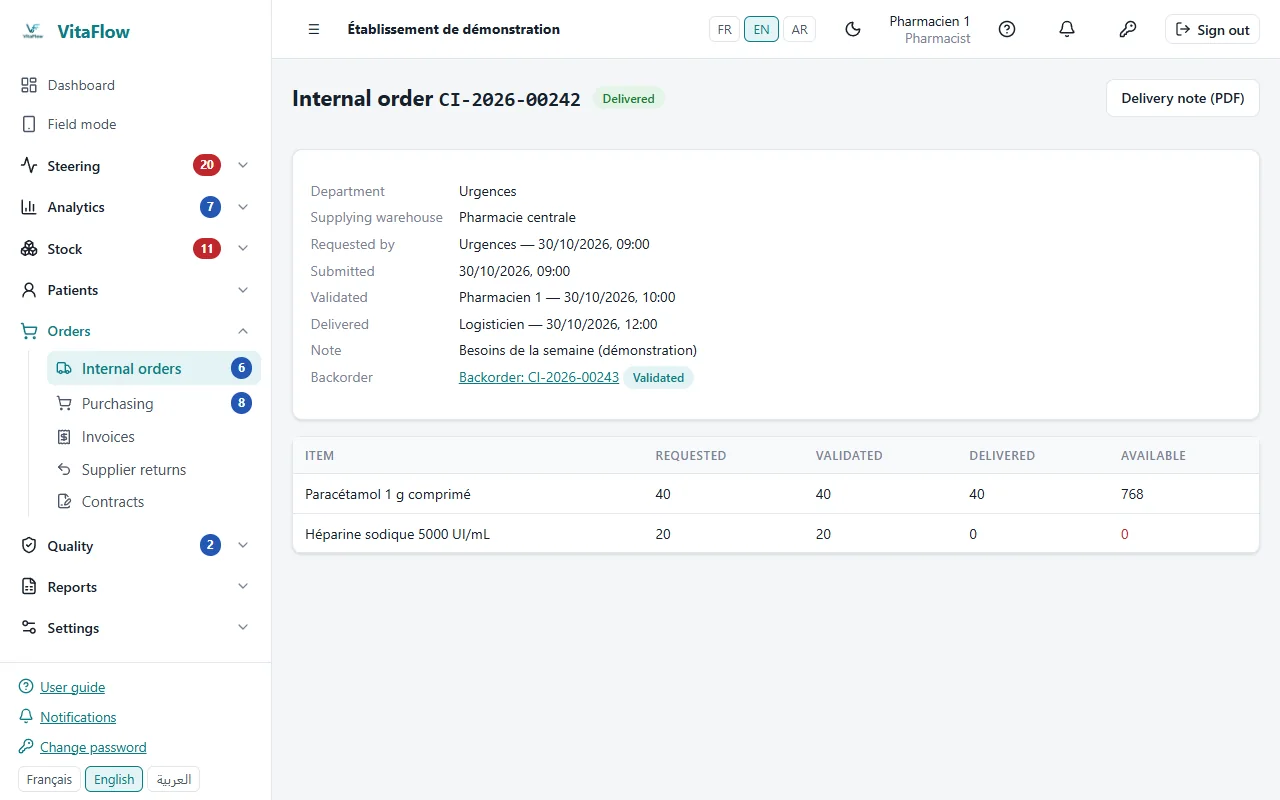
Partial delivery and back-order - Ward cabinetsPar levels per ward, count-and-refill rounds and automatically generated replenishment orders.
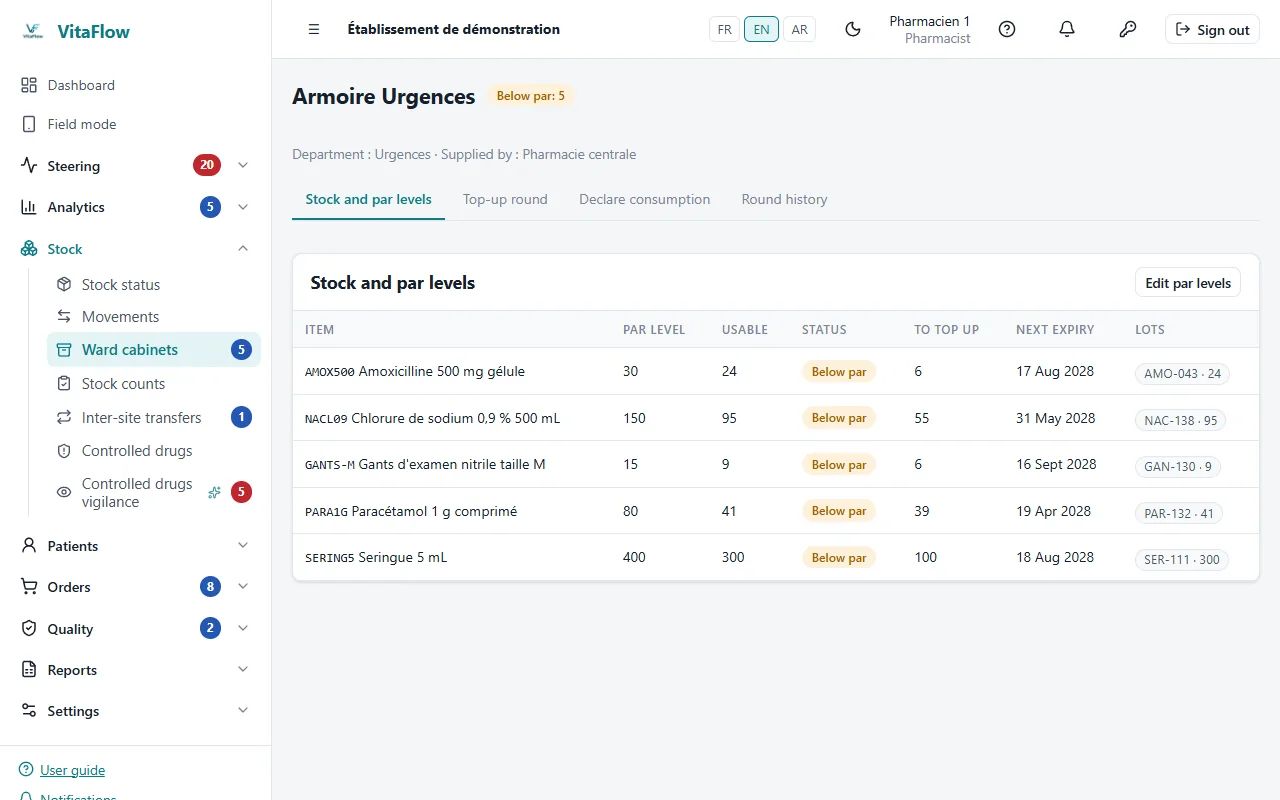
Ward cabinet: par levels and count - Ward returnsUnused products come back to stock; ward consumption is computed net of returns.
- TransfersLot transfers between establishments of the group, with partial receipt and variances flagged.
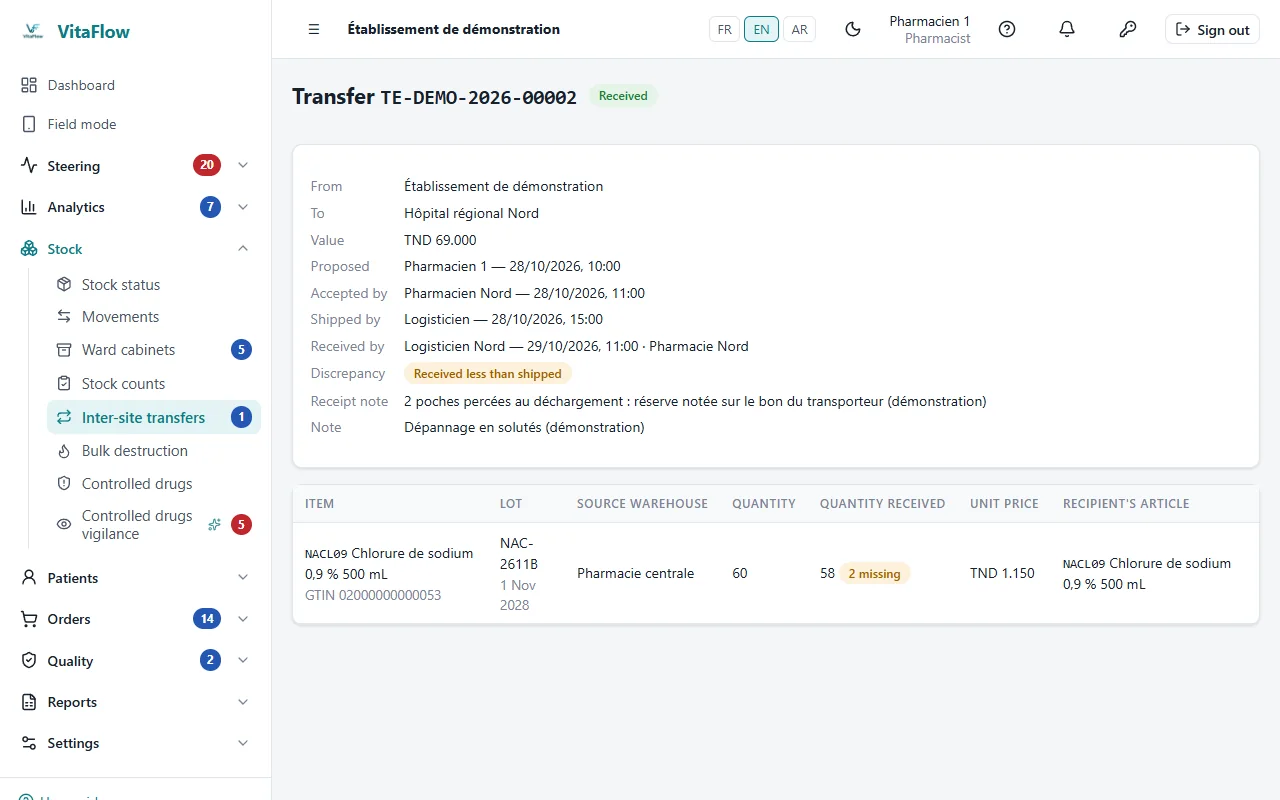
Transfer partly received, variance flagged
Narcotics
A reinforced path following the register logic: nothing moves without a trace and a second pair of eyes.
- SafeNarcotics can only be stored in a secure location.
- WitnessAdjustments and destructions require a second person, distinct from the author.
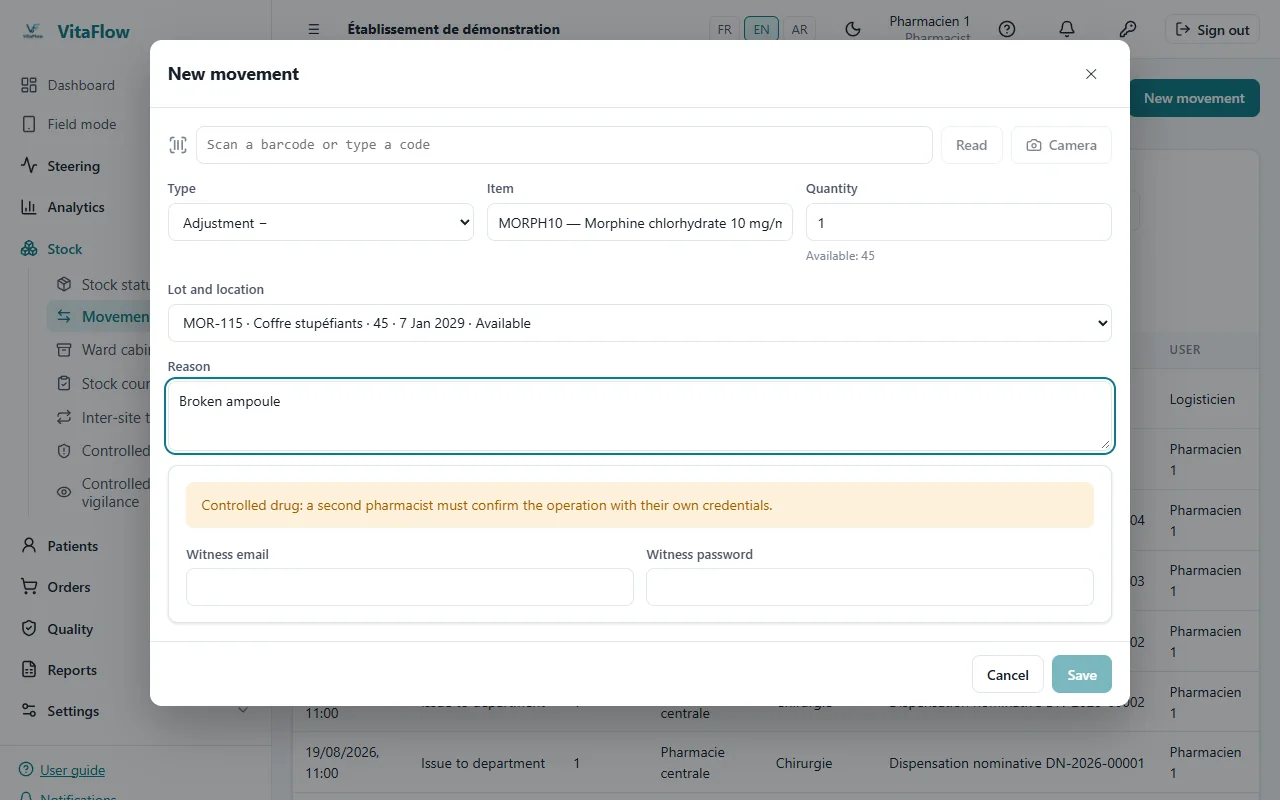
Narcotic adjustment with a witness - RegisterReceipts and issues with a running balance, per item.
- VigilanceVariances and atypical consumption flagged: points to check, never conclusions. Restricted screen, every access recorded.
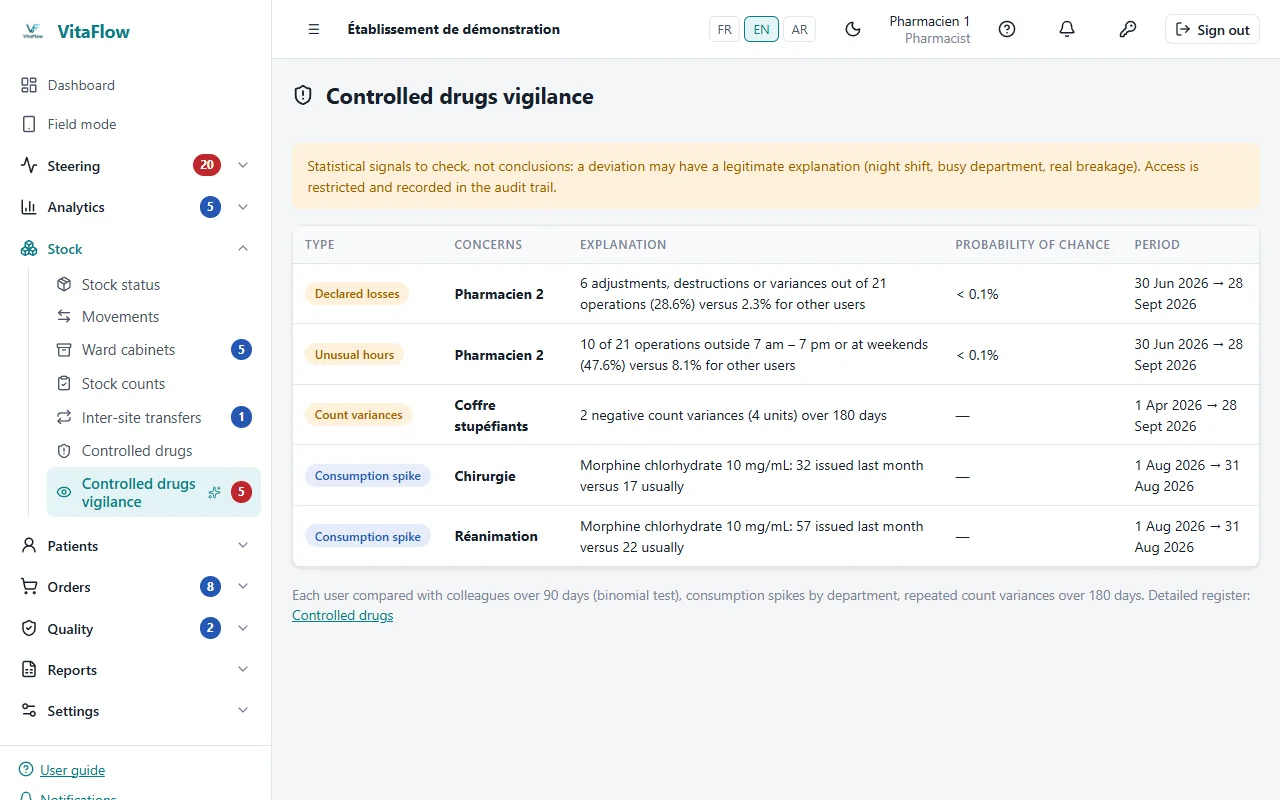
Narcotics vigilance signals
Trace and recall
From the lot received to the patient treated, and backwards when a lot is recalled.
- Named-patient dispensingIssue to an identified patient, by lot, with prescriber and prescription; can be cancelled, and the cancellation is traced.
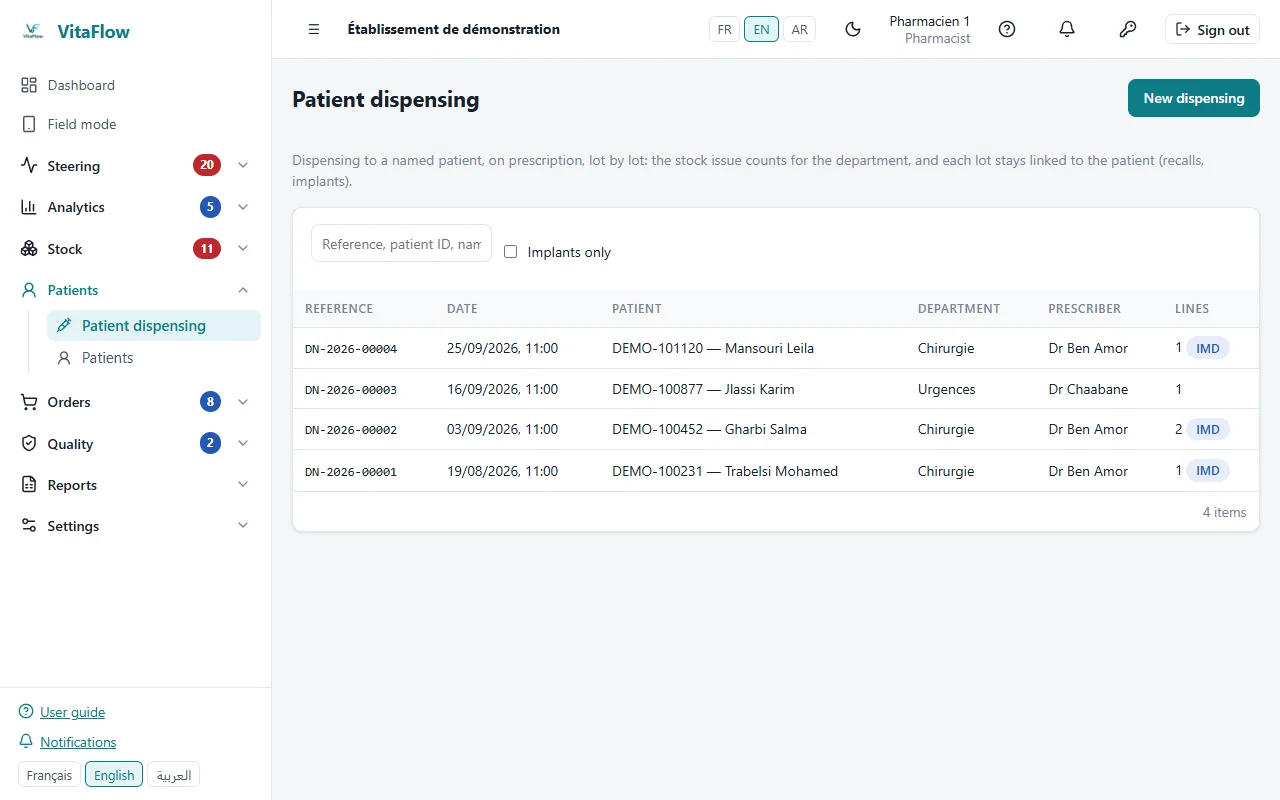
Register of named-patient dispensing - ImplantsImplantable medical devices tracked by serial number up to implantation.
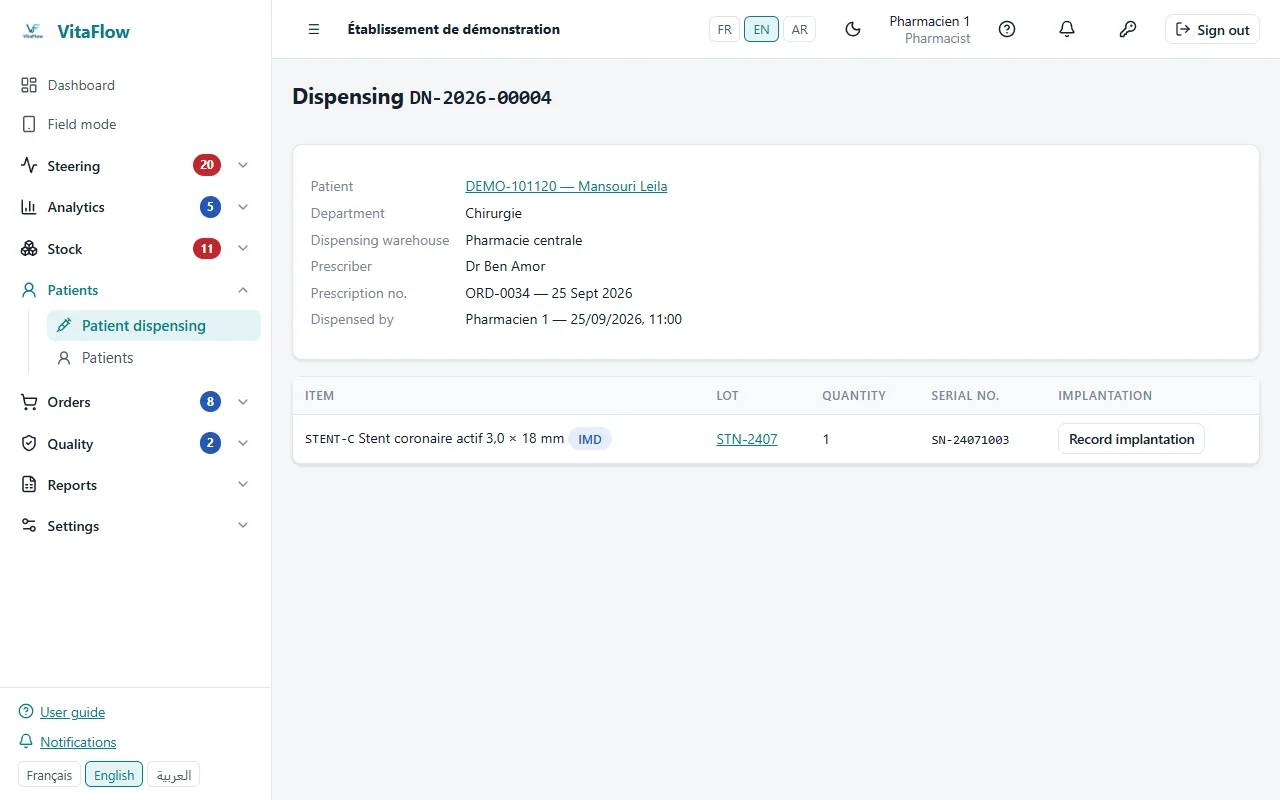
Stent dispensed, tracked by serial number - RecallsRemaining stock, wards supplied and patients concerned, serial numbers included; PDF file; a recall is opened automatically in group establishments that received the lot.
- Non-conformitiesReport, analysis and corrective action, followed to closure.
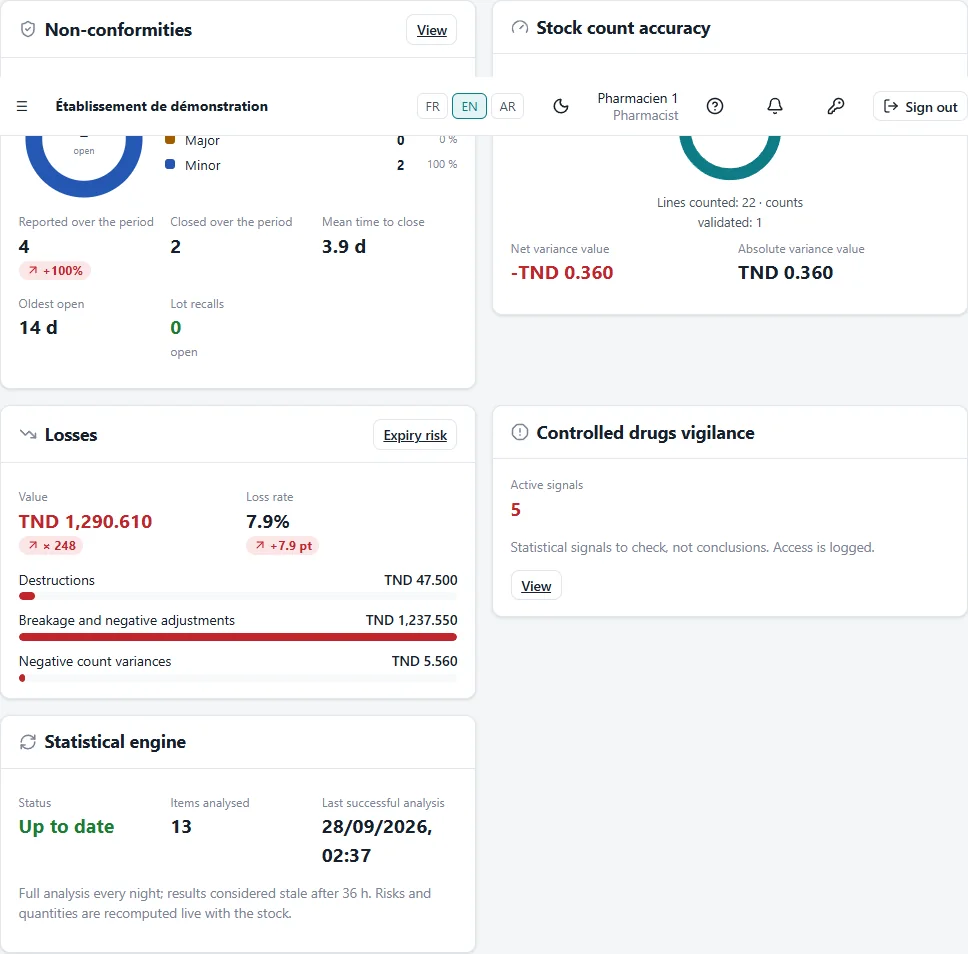
Quality: non-conformities and counts
Steer
Readable indicators, compared with the previous period, with no target imposed by default.
- DashboardSupply, stock and quality over 7, 30, 90 or 365 days, compared with the previous period.
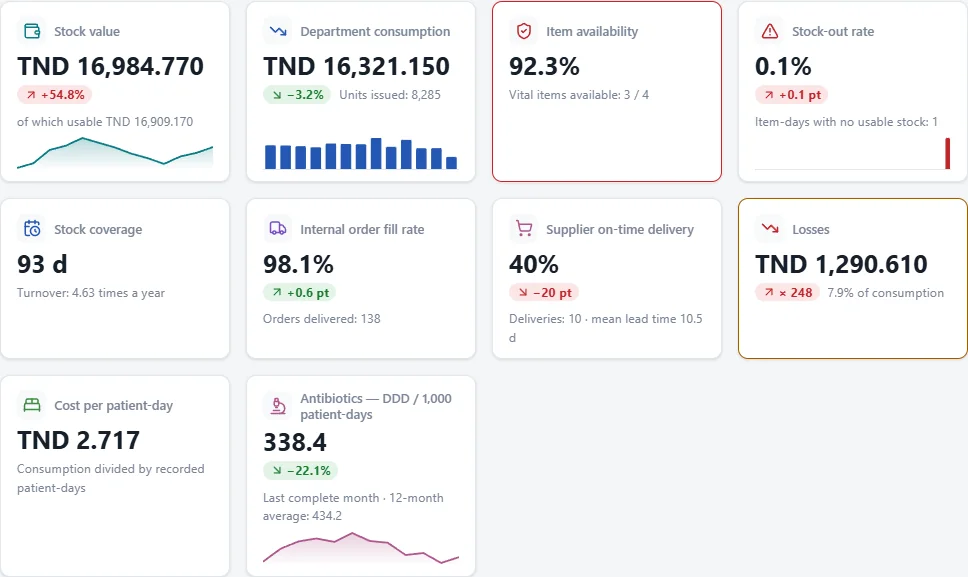
Dashboard compared with the previous period - AlertsLikely stock-outs, near expiries, late orders, open non-conformities, ranked by severity.
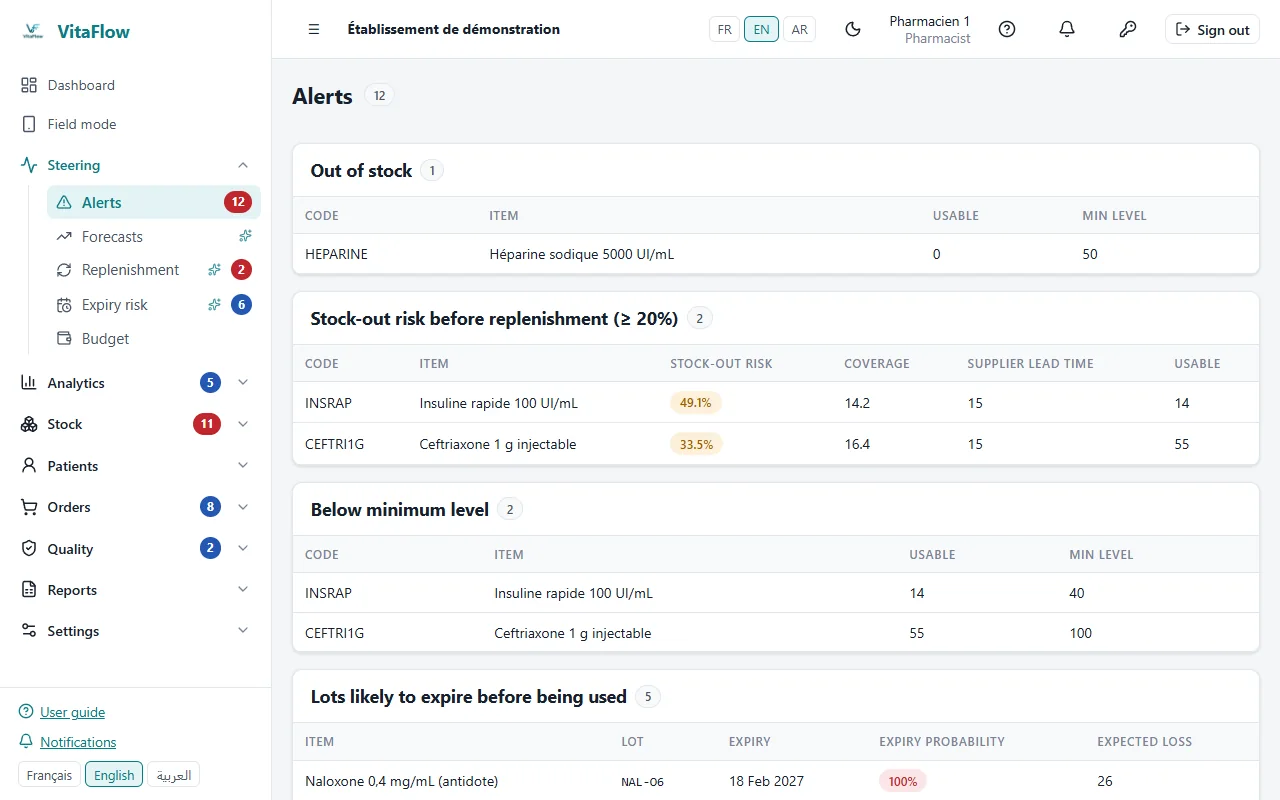
Alert center ranked by severity - TargetsIndicator targets are set by the establishment itself.
- BudgetPurchasing and ward budgets: spent, committed, year-end projection.
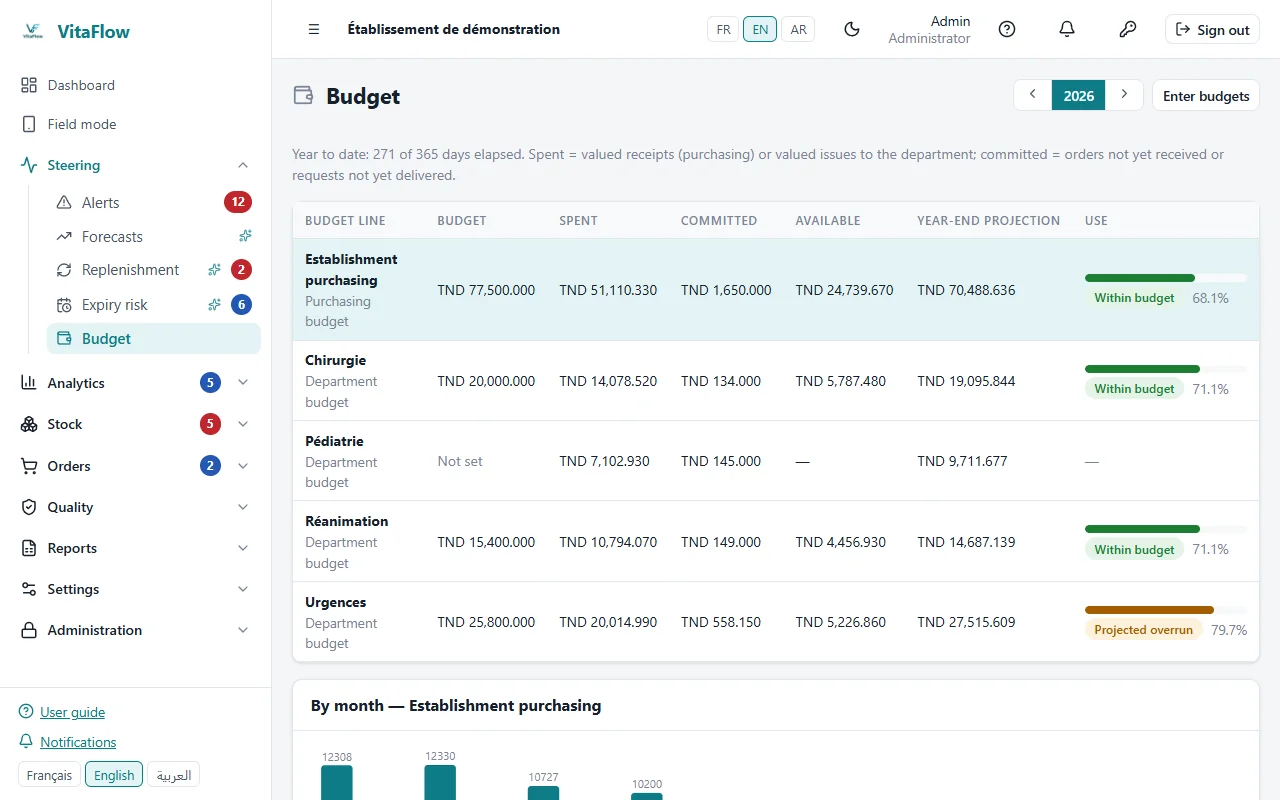
Year budget: spent, committed, projection - ReportsMonthly PDF report, daily digest and critical alerts by e-mail; spreadsheet exports.
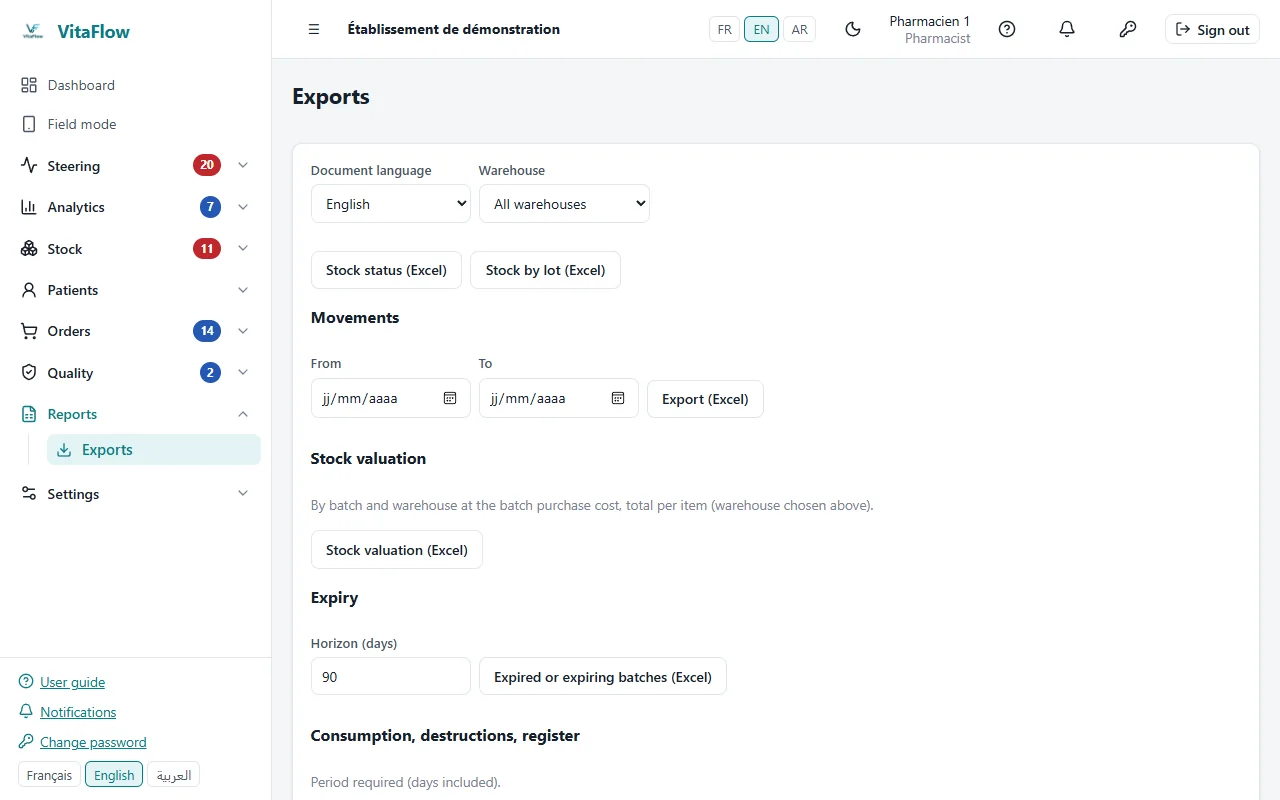
Spreadsheet exports
Install and adopt
Installed on your premises, loaded from your files, usable in everyone's language.
- On your serversDocker installation on the establishment's infrastructure; scripted and tested backup and restore.
- Data migrationExcel import of items, suppliers, opening stock and history, checked line by line, all-or-nothing.
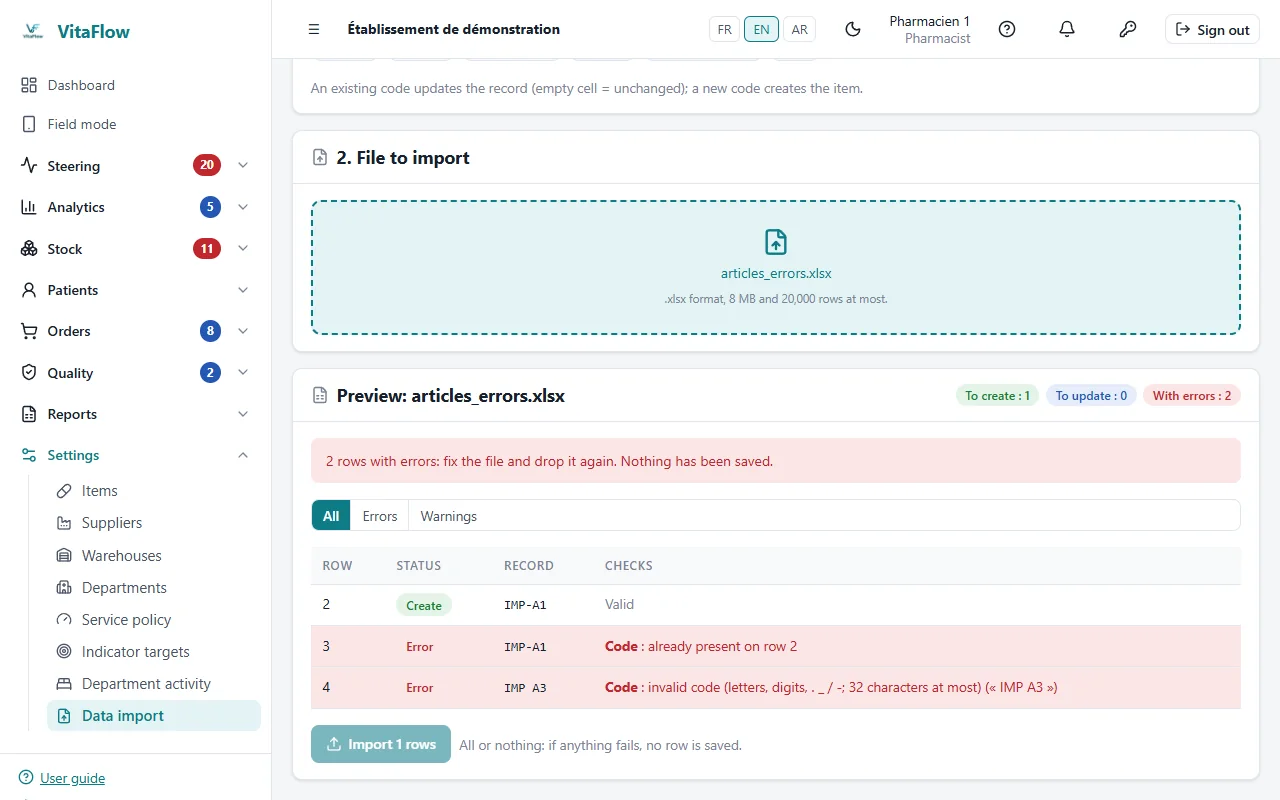
Excel import checked line by line - Three languagesInterface, PDF documents, e-mails and guide in French, English and Arabic, right-to-left.
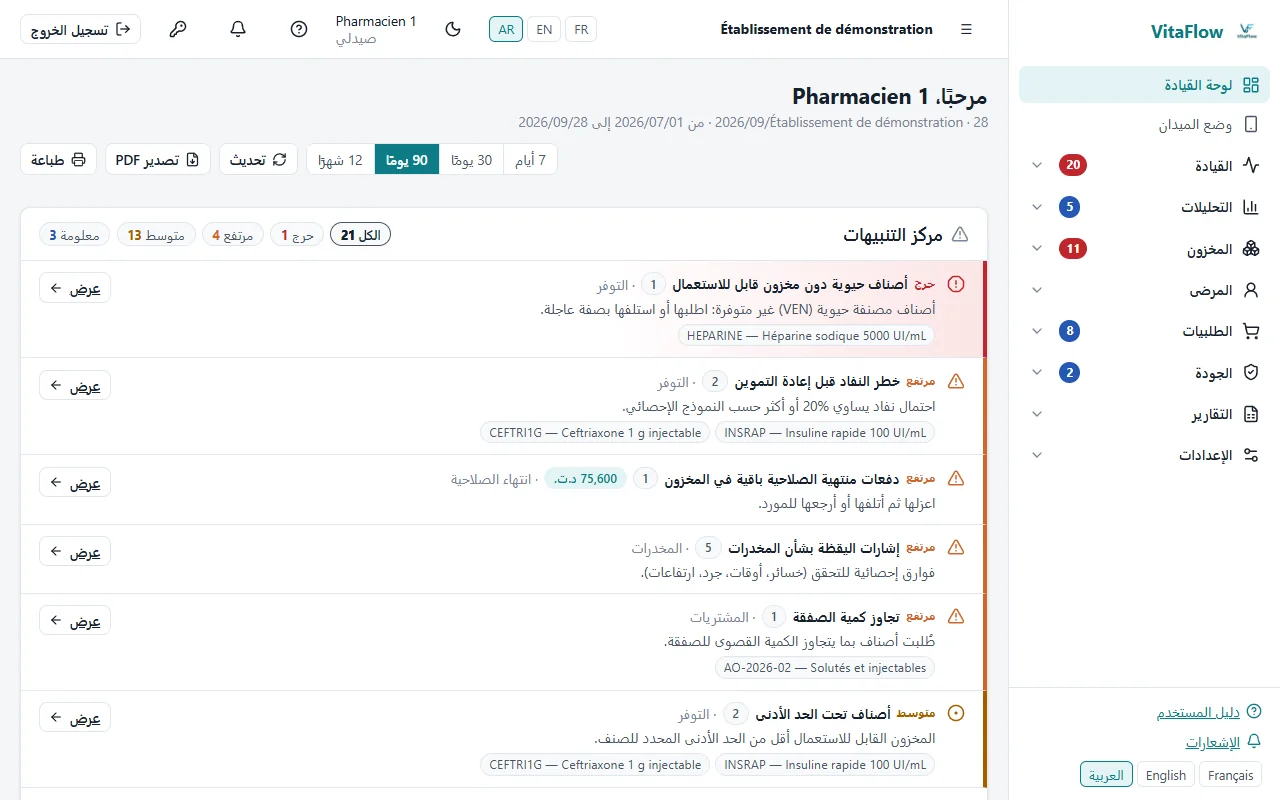
The application in Arabic, right-to-left - MobileInstallable app for phones and tablets; GS1 DataMatrix reading with the camera or a scanner.
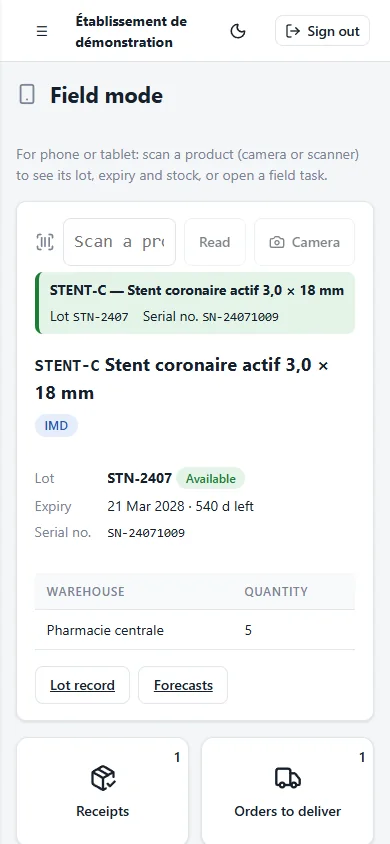
Field mode on a phone - User guideShipped in all three languages with real screenshots, opened from every screen.
See VitaFlow with your data
Guided demonstration, migration of your data by Excel import, installation on your infrastructure.